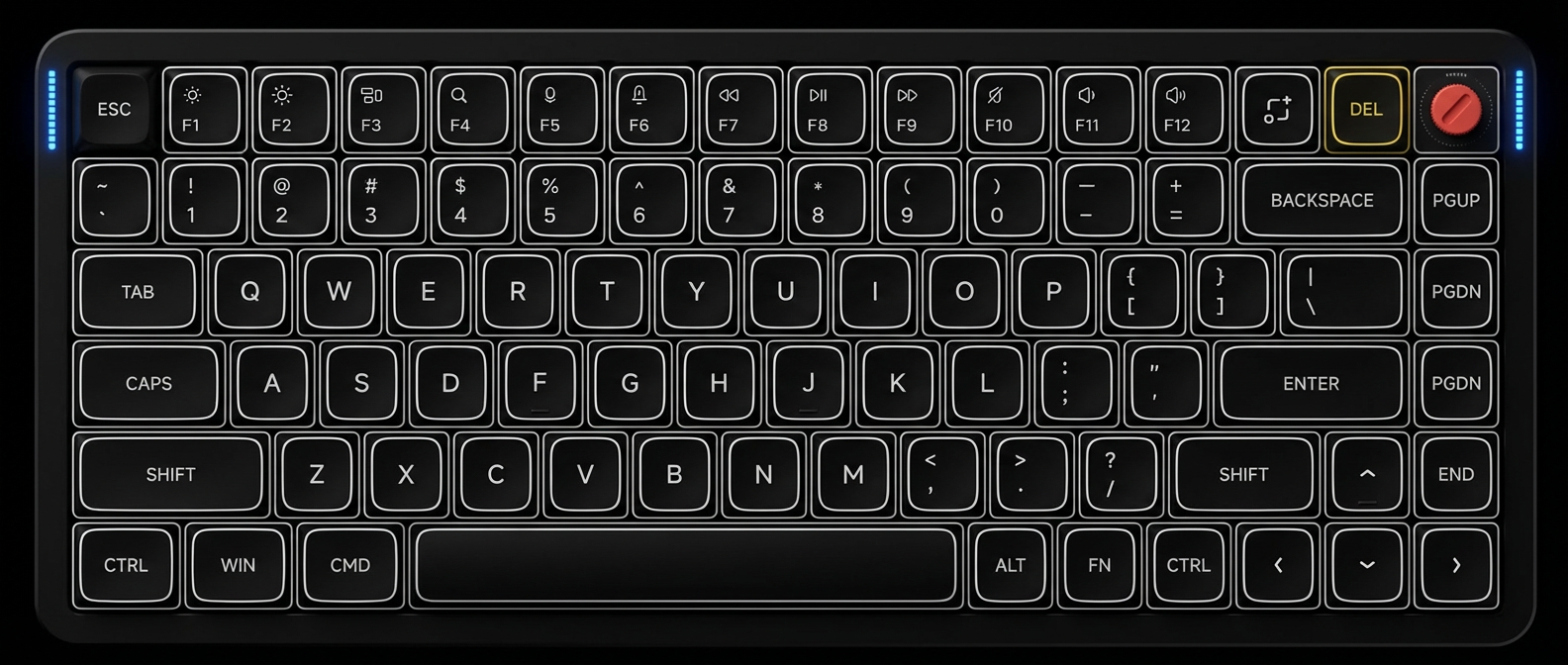
Use the physical switch on the side of the keyboard to toggle between Windows/Android and macOS/iOS mode. Modifier keys rearrange accordingly.
$ Press ESC or click here to go back
NuPhy Air75 V2 Keyboard Shortcuts
NuPhy Air75 V2 OS Switch
Switch OS Mode: Side toggle switch — Use the physical switch on the side of the keyboard to toggle between Windows/Android and macOS/iOS mode. Modifier keys rearrange accordingly.
NuPhy Air75 V2 Bluetooth
Pair Bluetooth Device 1: Fn + 1 (hold 3s) — Long press Fn + 1 for 3 seconds to enter Bluetooth pairing mode for device slot 1. LED indicator flashes rapidly during pairing.
Pair Bluetooth Device 2: Fn + 2 (hold 3s) — Long press Fn + 2 for 3 seconds to enter Bluetooth pairing mode for device slot 2.
Pair Bluetooth Device 3: Fn + 3 (hold 3s) — Long press Fn + 3 for 3 seconds to enter Bluetooth pairing mode for device slot 3.
Switch to BT Device 1: Fn + 1 — Short press to switch to previously paired Bluetooth device 1.
Switch to BT Device 2: Fn + 2 — Short press to switch to previously paired Bluetooth device 2.
Switch to BT Device 3: Fn + 3 — Short press to switch to previously paired Bluetooth device 3.
Connect 2.4G Receiver: Fn + 4 — Switch to 2.4GHz wireless mode. Plug in the 2.4G receiver to use.
Previous Track: Fn + F7 — Skip to previous track in media player.
Play / Pause: Fn + F8 — Toggle play/pause in media player.
Next Track: Fn + F9 — Skip to next track in media player.
Mute: Fn + F10 — Mute/unmute system audio.
Volume Down: Fn + F11 — Decrease system volume.
Volume Up: Fn + F12 — Increase system volume.
NuPhy Air75 V2 Special
Power Off Keyboard: Fn + Esc — Immediately power off the keyboard to save battery. Press any key to wake it up.
Check Battery Level: Fn + \ — Right sidelight briefly shows battery level: Red = below 20%, Yellow = 20-80%, Green = above 80%. Long press to toggle permanent battery display.
Factory Reset: Fn + [ (hold 3s) — In wired mode, hold Fn + [ for 3 seconds to restore all settings to factory defaults. Clears Bluetooth pairings and custom settings.
Toggle Auto-Sleep: Fn + ] — Toggle auto-sleep mode on/off. Red flash (3x) = disabled, green flash (3x) = enabled. Default sleep time: 6 minutes of inactivity.
Toggle F-Key Mode: Fn + Tab + F — Toggle F-row between standard function keys (F1-F12) and media keys. Setting persists across power cycles.
Force Wired Mode: Hold Esc → plug USB-C — Hold Esc key while plugging in USB-C cable to force wired connection mode. Disconnect keyboard first before holding Esc.
NuPhy Console Software: Connect USB → open NuPhy Console — Use NuPhy Console software for key remapping, lighting customization, and macro recording. Available for Windows and macOS. VIA support also available via JSON sideload.